

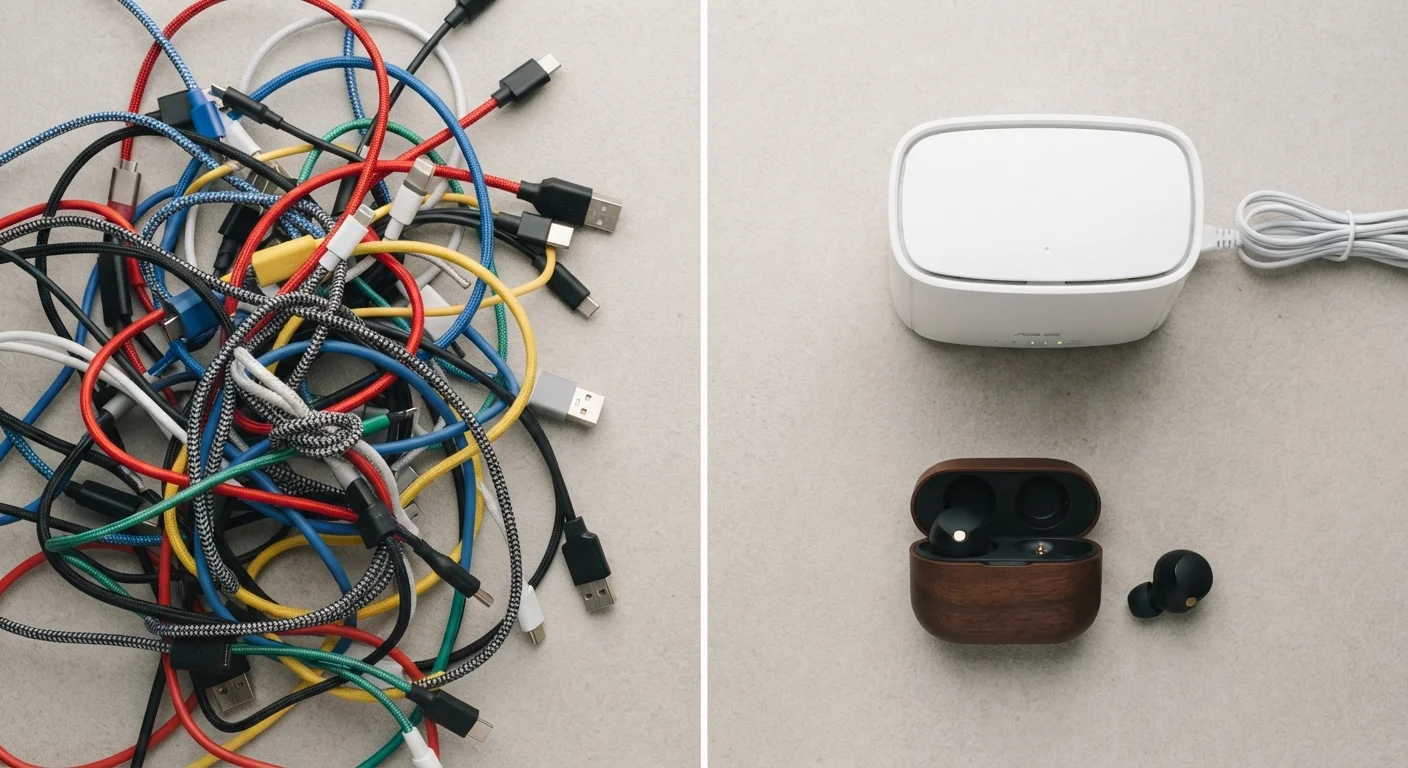
Option A
Wired Connections
The reliable, low-latency workhorse.
Best for: Best for users who prioritize consistent performance, zero battery management, and signal stability over convenience.
Option B
Wireless Connections
The cable-free, go-anywhere standard.
Best for: Best for users who value freedom of movement, minimal clutter, and compatibility with modern devices.
Latency and Reliability: Where Wired Still Has the Edge
Latency — the time it takes for a signal to travel from one point to another — is where wired connections maintain a measurable advantage. A USB or 3.5mm wired connection sends data along a dedicated physical path with essentially no signal processing overhead. Wireless connections, whether Bluetooth or Wi-Fi, must encode, transmit, and decode signals, adding small but real delays.
For most everyday tasks — streaming music, video calls, or browsing — this difference is imperceptible. However, for competitive gaming or professional audio monitoring, even a few milliseconds of added delay can be noticeable. Latency explained in plain terms is worth understanding before assuming wireless is always good enough.
Reliability follows a similar pattern. Wired connections don't compete with neighboring devices for signal bandwidth. In crowded spaces — apartments, offices, public venues — wireless performance can degrade as interference from other devices increases. Wired hardware simply ignores this entirely.
| Criterion | Wired | Wireless |
|---|---|---|
| Latency | Very low, consistent | Low to moderate, variable |
| Reliability | High — no interference | Moderate — affected by environment |
| Battery required | No — draws from host device | Yes — internal battery needed |
| Freedom of movement | Limited by cable length | Unrestricted within range |
| Port dependency | Requires compatible port | Minimal — often adapter-free |
| Setup complexity | Plug and play | Pairing required initially |
| Audio quality ceiling | Lossless possible | Codec-dependent compression |
Battery Life, Charging Fatigue, and the Hidden Cost of Wireless
The convenience of wireless comes with a real management burden: everything needs charging. Wireless headphones, keyboards, mice, and earbuds all carry internal batteries that deplete and eventually degrade. A wired peripheral draws power directly from its host device and never needs to be charged independently.
This isn't a dealbreaker, but it's worth accounting for honestly. If you already juggle charging for a phone, laptop, and smartwatch, adding wireless earbuds and a wireless mouse to that rotation adds friction. Our guide on habits that help devices last longer covers how battery behavior affects overall device lifespan — including the cumulative wear of repeated charge cycles.
~33ms
Typical Bluetooth audio latency
Standard Bluetooth audio connections introduce roughly 30–40ms of latency, compared to near-zero for wired; newer codecs like aptX Low Latency aim to reduce this below 40ms.
2–5 years
Typical wireless earbud battery lifespan
Lithium-ion batteries in wireless earbuds and headphones typically degrade noticeably after 300–500 charge cycles, roughly equivalent to 2–5 years of regular use.
2.4GHz
Frequency used by most wireless peripherals
Many wireless mice and keyboards use a dedicated 2.4GHz radio connection rather than Bluetooth, offering lower latency and more stable connectivity in congested environments.
One underappreciated reality: wireless audio codecs — the software protocols that compress and transmit sound over Bluetooth — have improved dramatically. Formats like aptX and AAC deliver audio quality that is genuinely close to wired for casual listeners. The gap has narrowed, though it hasn't fully closed for audiophiles.
When Wireless Makes Clear Practical Sense
Despite the performance trade-offs, wireless dominates for good reasons. Modern smartphones and tablets have reduced their physical ports significantly, making wireless peripherals a more natural fit. A wireless keyboard paired to a tablet is a cleaner, more flexible setup than hunting for an appropriate adapter.
Wireless also removes the physical hazard of cables — relevant for active users, those with limited desk space, or anyone who has yanked a device off a surface by its cord. Freedom of movement matters more than marginal latency for most real-world use cases.
It's also worth noting that not all wireless is equal. Bluetooth-based peripherals behave differently from devices using dedicated 2.4GHz radio frequencies, which often deliver lower latency and more consistent range than standard Bluetooth. Understanding how wireless signals actually work helps clarify why the same label — "wireless" — can mean very different performance profiles.
Not All Wireless Technologies Are the Same
"Wireless" covers a broad range of technologies. Bluetooth, dedicated 2.4GHz RF, Wi-Fi, and near-field protocols all behave differently in terms of range, latency, and interference resistance. A wireless gaming mouse using a proprietary 2.4GHz receiver, for example, typically outperforms a Bluetooth mouse on response time. When evaluating a wireless device, it's worth checking which technology it uses rather than treating all wireless connections as equivalent.
There's also a persistent myth that wireless audio is always inferior. Common gadget myths worth questioning addresses several assumptions like this that don't hold up under scrutiny. And for network connections specifically, when a cable is still the right call offers a focused look at the ethernet-versus-Wi-Fi version of this debate.
The content on this site is for informational purposes only and is not a substitute for professional advice. Always consult a qualified professional for guidance specific to your situation.