

Two Words, Two Very Different Things
Ask most people what the difference is between the internet and the web, and you'll get a blank stare or a shrug. The two terms get used interchangeably in everyday conversation — but they describe fundamentally different things, and conflating them creates real confusion when you're trying to understand how your technology works.
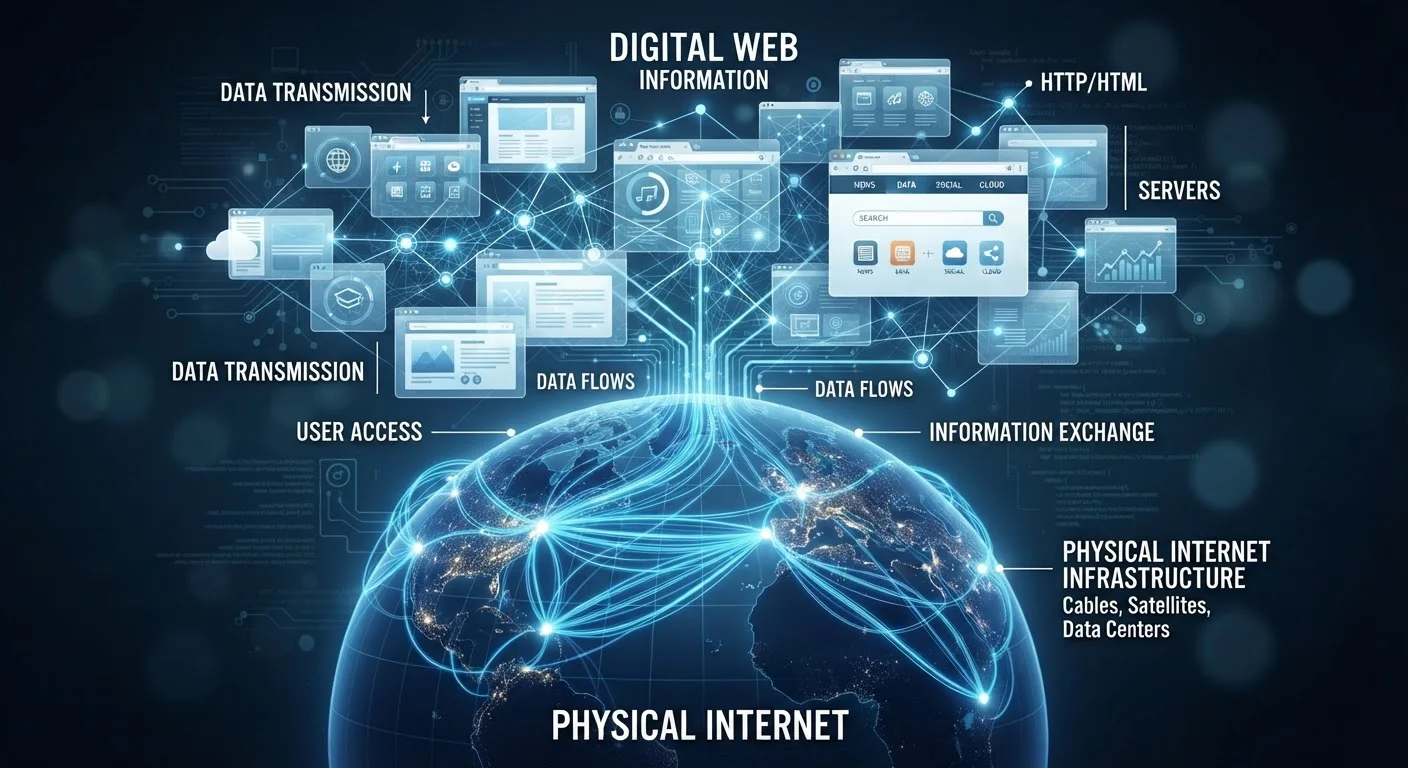
The internet is infrastructure. It is a massive, worldwide network of interconnected computers, servers, routers, and cables — both physical and wireless — that allows devices to communicate with each other by exchanging data. Think of it as the global highway system: roads, bridges, tunnels, and traffic rules that make movement possible.
The web — short for the World Wide Web — is one service that runs on top of that highway system. It is a collection of documents and resources (web pages, images, videos) linked together by hyperlinks and accessible through a web browser using a protocol called HTTP or HTTPS. Think of it as the vehicles and destinations that use the highway, not the highway itself.
For a plain-language breakdown of terms like these, see the Tech Basics glossary — it defines dozens of everyday digital concepts without the jargon.
Myth
The internet and the web are the same thing — just two words for going online.
Fact
The internet is the global network infrastructure; the web is one application that runs on it.
The internet has existed since the late 1960s, originating from a U.S. Defense Department research project called ARPANET. The World Wide Web wasn't invented until 1989, when British computer scientist Tim Berners-Lee proposed a system of linked documents to help researchers share information. The web is roughly 20 years younger than the internet it relies on.
Myth
If you're using the internet, you must be using the web.
Fact
Many internet activities — email, streaming apps, online gaming, cloud backups — happen entirely outside the web.
When you send an email, your email client communicates using protocols like IMAP or SMTP — not HTTP. When you stream a show through a dedicated app, that app connects directly to a media server over the internet without loading web pages. The web is a browser-based experience; the internet powers far more than browsers.
Myth
Your web browser is how you access the internet.
Fact
Your browser accesses the web — your device's network connection accesses the internet.
A browser is software designed specifically to retrieve and display web pages. But your device connects to the internet through a network adapter, a Wi-Fi radio, or a cellular modem — hardware and firmware that operate completely independently of any browser. You could uninstall every browser on your computer and your internet connection would still work for all non-web services.
Myth
The web includes everything on the internet.
Fact
The web is one part of the internet — and a significant portion of internet traffic never touches a web browser at all.
File transfer protocols, peer-to-peer networks, real-time messaging protocols, and proprietary app APIs all use the internet without being part of the web. Industry data has consistently shown that video streaming — much of which flows through dedicated apps rather than browsers — accounts for a large share of global internet traffic. The web is prominent, but it is not the whole picture.
Why This Distinction Actually Matters
Understanding the difference isn't just trivia — it changes how you interpret everyday tech situations. When your internet connection drops, every internet-based service stops working: email, streaming apps, cloud sync, video calls, and yes, the web. But if a specific website is down, your internet connection is fine — only that web destination is unavailable. Knowing which layer has the problem helps you troubleshoot more effectively.
1989
Year the World Wide Web was invented
Tim Berners-Lee proposed the web at CERN to help scientists share documents; the internet infrastructure it runs on dates back to the late 1960s.
~65%
Share of internet traffic from video streaming
According to Sandvine's Global Internet Phenomena reports, video streaming consistently accounts for the majority of downstream internet traffic globally — most of it through apps, not browsers.
It also matters when you read about internet infrastructure, data caps, or connection speeds. Your internet plan governs all the data your devices send and receive — not just web browsing. Streaming video through an app, downloading a software update, or making a video call all consume internet data without ever loading a web page. For a deeper look at how those numbers work, see our guide to internet speeds: upload, download, and latency.
Finally, privacy and security work differently at each layer. Your internet service provider (ISP) can see your internet traffic at the network level. A browser, on the other hand, operates at the web layer and manages things like cookies and cached files — which are entirely separate mechanisms. Understanding what cookies, cache, and browsing history store becomes much clearer once you understand that the browser is just one application riding on a much larger network.
The Internet Predates the Web by 20 Years
A common misconception assumes the internet was built for web browsing. In reality, the internet began as a military and academic research network in the 1960s. The web — and the browser — arrived decades later as one application layer on top of that existing infrastructure. Keeping this timeline in mind helps anchor the distinction: the internet is the foundation; the web is one thing built on it.
The content on this site is for informational purposes only and is not a substitute for professional advice. Always consult a qualified professional for guidance specific to your situation.